

How To Disable Symantec Wss Agent In Windows 10
We want to disable Symantec Endpoint Protection temporarily. Sometimes you lot demand to run a file, and Symantec Endpoint Protection (SEP) does not let you open the file. Y'all don't have options to whitelist the file because SEP is managed by the organization. In this article, you lot will learn how to force disable SEP. It's e'er great to bypass configurations made by organizations, right? Remember to disable SEP but if you know what yous are doing!
Table of contents
- What is happening?
- Stop the service Symantec Endpoint Protection (SEP)
- Disable Symantec Endpoint Protection (SEP) through Windows Services
- Kicking into safety mode
- Disable Symantec Endpoint Protection (SEP) through Registry Editor
- Registry values
- Kicking to normal
- Issue of Symantec Endpoint Protection (SEP)
- Conclusion
What is happening?
We want to install an application. When browsing to the application, Symantec Endpoint Protection Notification appears on the screen.
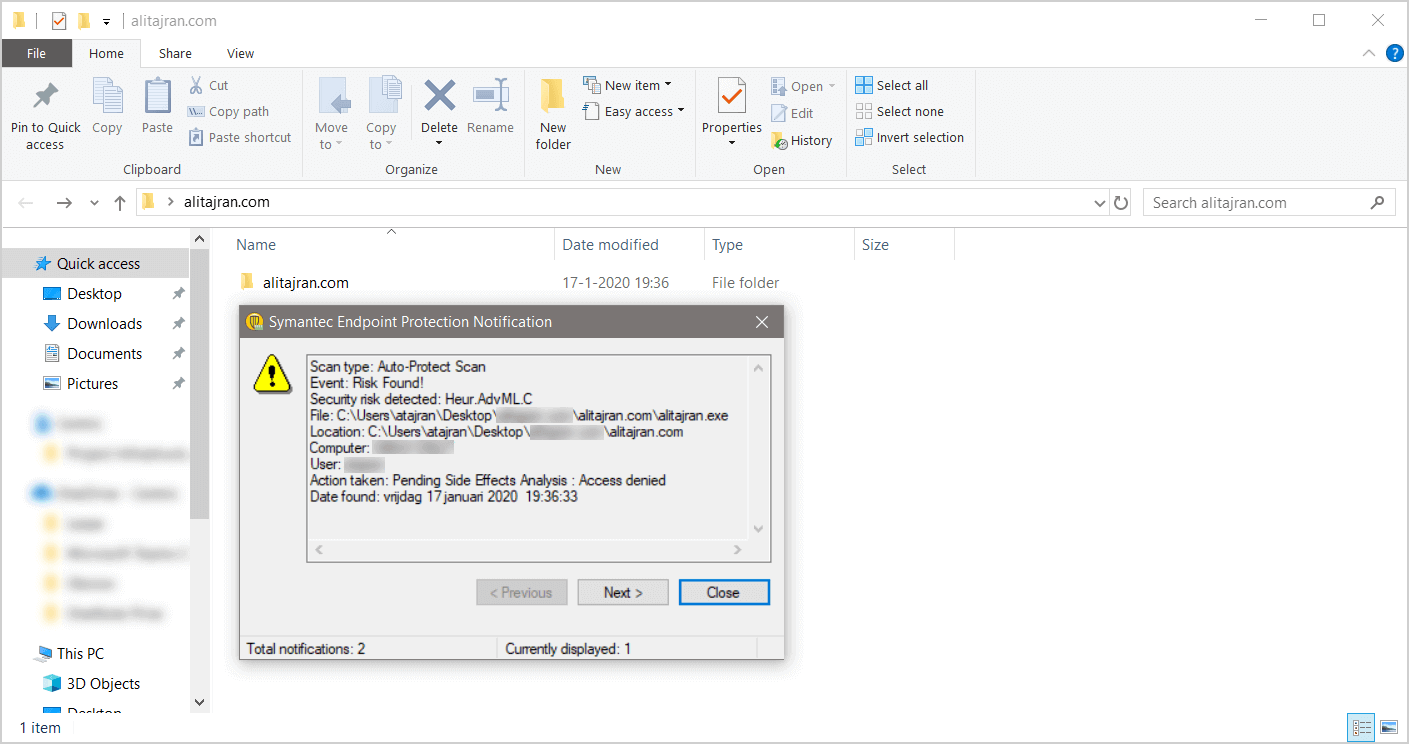
Nosotros know that the file alitajran.exe in the folder alitajran.com is not a malicious file. The security gamble Heur.AdvML.C is a false positive.
False positives (fake alarms) are harmless files or URLs that are incorrectly identified as malicious by the antivirus plan.
End the service Symantec Endpoint Protection (SEP)
Start the program Run and run the control smc -finish to disable the service. The password prompt message appears.
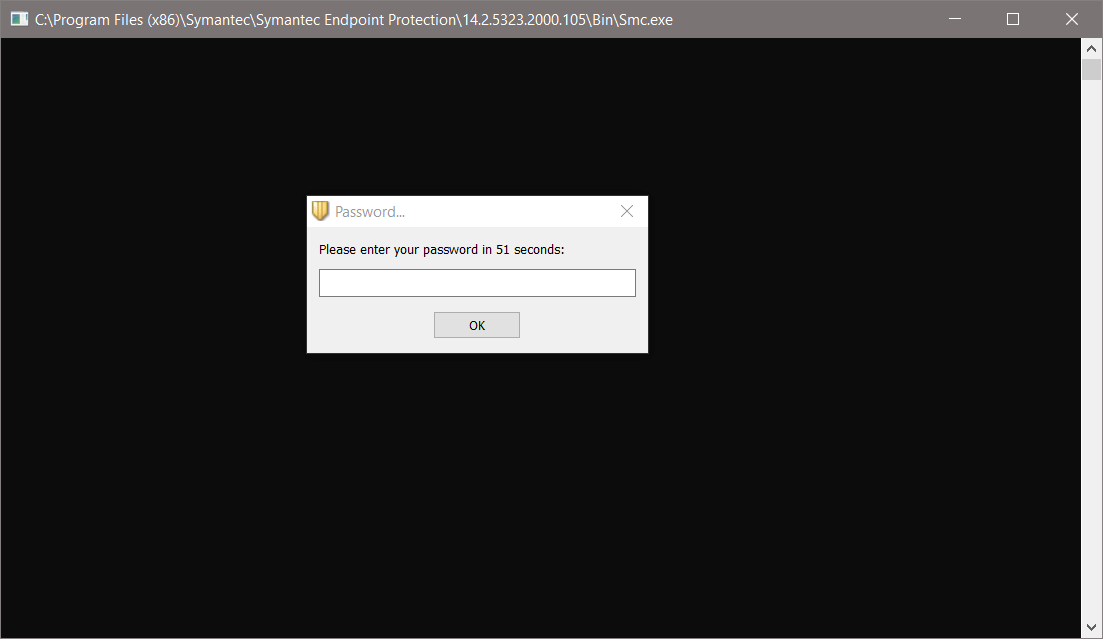
We don't have the password. Nosotros can't disable Symantec Endpoint Protection through the command.
Disable Symantec Endpoint Protection (SEP) through Windows Services
Click on Windows Start and search for services. Open Windows Services. You can as well start the program Run. Type services.msc and click on OK.
Search for Symantec Endpoint Protection and double click on the name. The services of Symantec Endpoint Protection are grayed out.
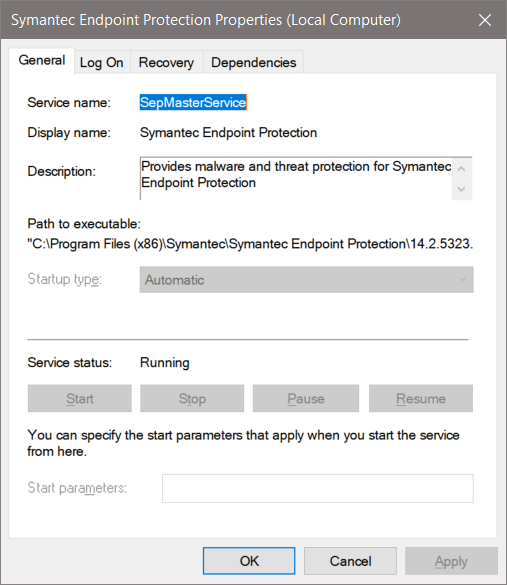
We tin can't terminate Symantec Endpoint Protection service through Windows Services. Detect out how to disable Symantec Endpoint Protection through the next steps.
Kicking into safety mode
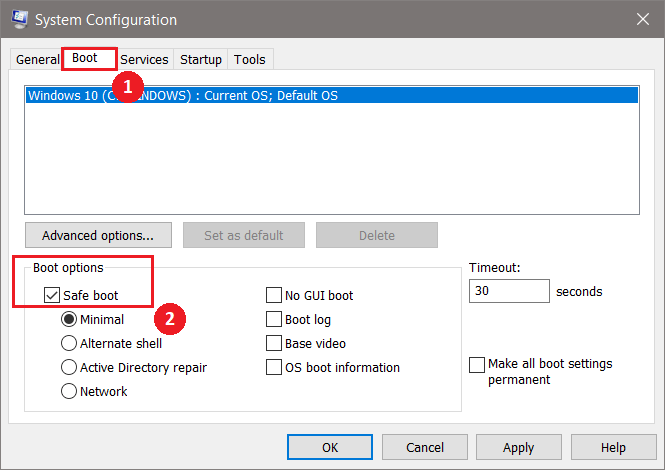
Click on Windows Start and search for msconfig. Click on Organization Configuration. You can also start the program Run. Type msconfig and click on OK.
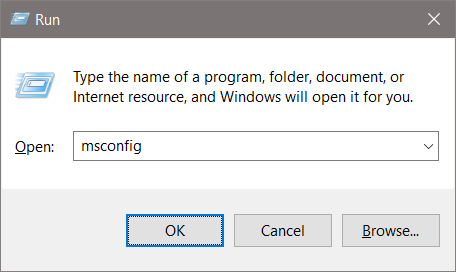
Select the tab Boot. In the section Kick options, enable Safe boot. Click on OK.
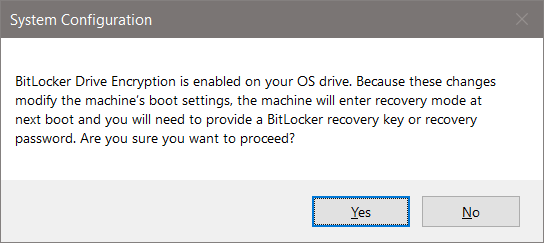
Do yous have Bitlocker enabled? If yep, y'all volition get a bulletin. Click on Yeah.
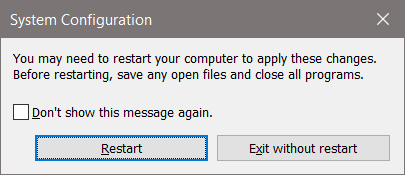
Click on Restart.
It will boot your automobile into safe style. Sign in after a reboot.
Disable Symantec Endpoint Protection (SEP) through Registry Editor
Nosotros volition disable Symantec Endpoint Protection through the Registry Editor. Click Windows Beginning and search for regedit. You can also commencement the program Run. Blazon regedit and click on OK.
Go to the post-obit path:
[HKEY_LOCAL_MACHINE\SYSTEM\ControlSet001\services\SepMasterService] 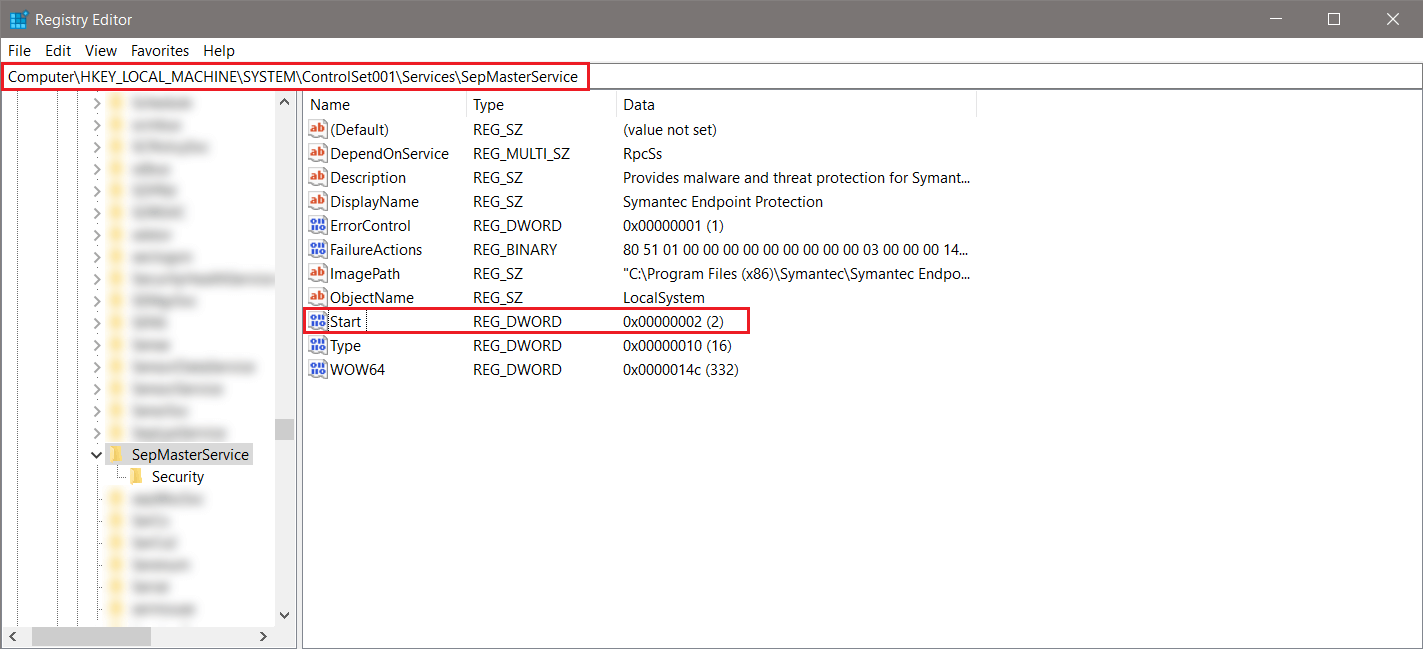
Edit the Start value information to three and click on OK.
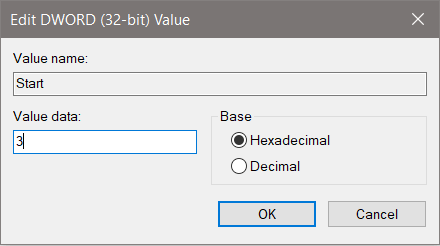
Your screen should show the following.
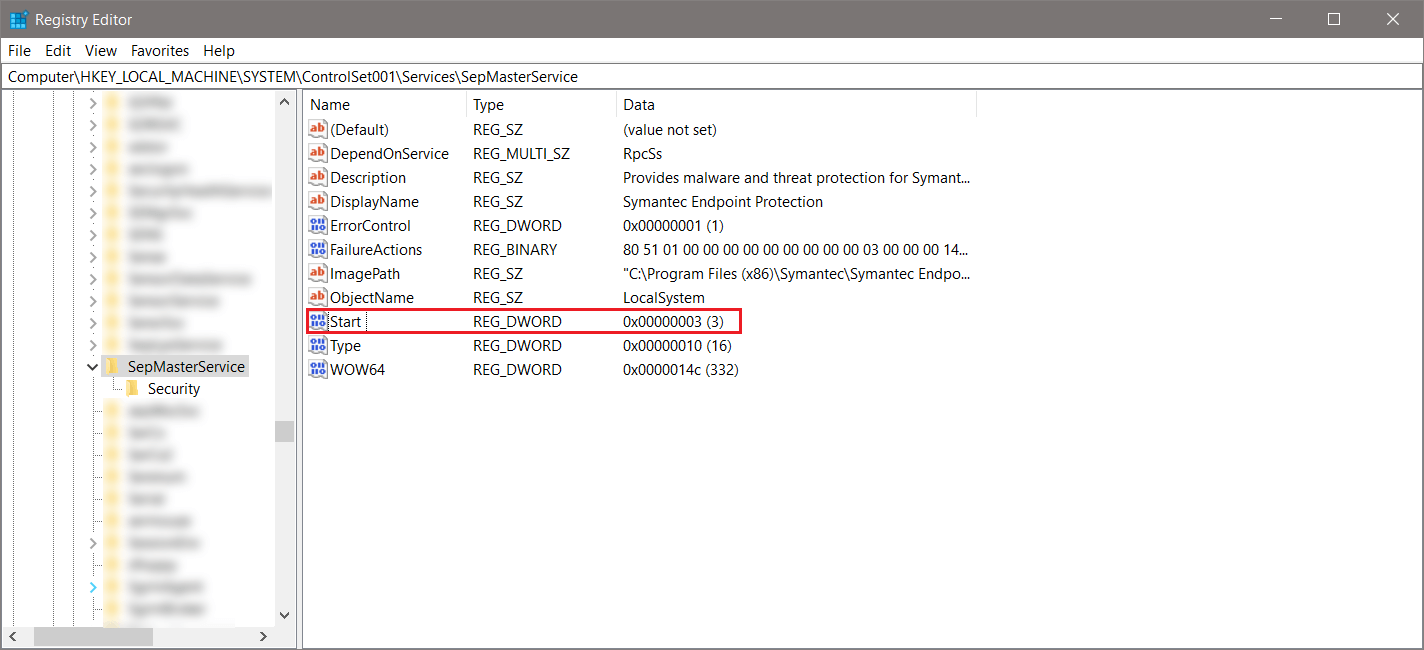
Registry values
Each value stands for the following:
- two = Automated
- 3 = Manual
- iv = Disabled
The next step is to quit safe boot and boot to the normal mode.
Boot to normal
Click on Windows Start and search for msconfig. Click on System Configuration. You lot can also get-go the plan Run. Blazon msconfig and click on OK.
Select the Normal startup. Click on OK.
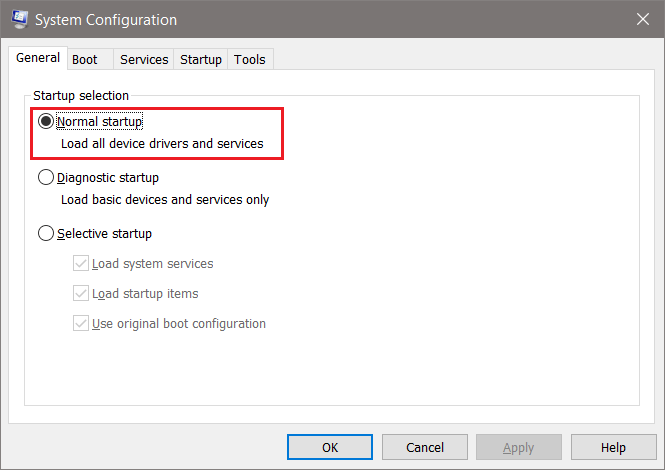
Exercise you have Bitlocker enabled? If aye, you will get a message. Click on Aye.
Click on Restart.
Information technology volition boot your machine into normal mode. Sign in after a reboot.
Result of Symantec Endpoint Protection (SEP)
Verify the result. Get-go Windows Services and search for Symantec Endpoint Protection. Symantec Endpoint Protection service is stopped.
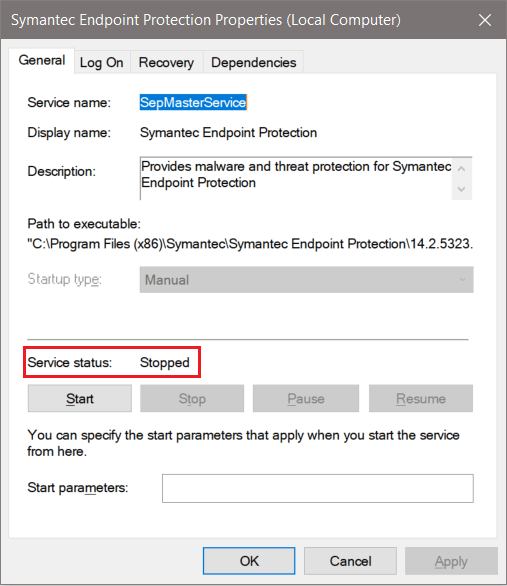
Browse to the application with the false positive. You will not become a notification from Symantec Endpoint Protection. Start the application that you want to install. Mission achieved. Don't forget to change the start value to 2 to keep yourself protected against threats.
Go along reading: Turn off Windows Defender in Windows x permanently »
Conclusion
In this commodity, you learned how to disable Symantec Endpoint Protection on a automobile. You must change the offset value back after you finished with your work.
Did you enjoy this article? You may also similar Move mailbox from Exchange Online to on-premises. Don't forget to follow us and share this article.

Source: https://www.alitajran.com/disable-symantec-endpoint-protection-sep/
Posted by: taylorwashound.blogspot.com
0 Response to "How To Disable Symantec Wss Agent In Windows 10"
Post a Comment